Disclosure: As an Amazon Associate I earn from qualifying purchases. The Amazon storefront links in this post may earn Power Chord Studio a commission at no extra cost to you. Prices and availability change, so check the current price on Amazon before you buy.
If you record by yourself—vocal and guitar, voiceover and a DI track, or one microphone at a time—you do not need a mixer-sized interface to get a clean signal into your DAW. You need one trustworthy mic preamp, a dedicated instrument input, headphone monitoring, and a connection your computer actually supports. That is the job of the standalone Focusrite Scarlett Solo, 4th Generation.
This is the standalone 4th Gen Solo, not an earlier generation and not a bundle that adds a microphone or headphones. Shop the Focusrite Scarlett Solo (4th Gen) in our Amazon storefront — Audio Interfaces for Home Recording. Confirm the standalone fourth-generation Solo on that list before you buy. Full listing details are on Amazon’s product page.
What this interface is built to do
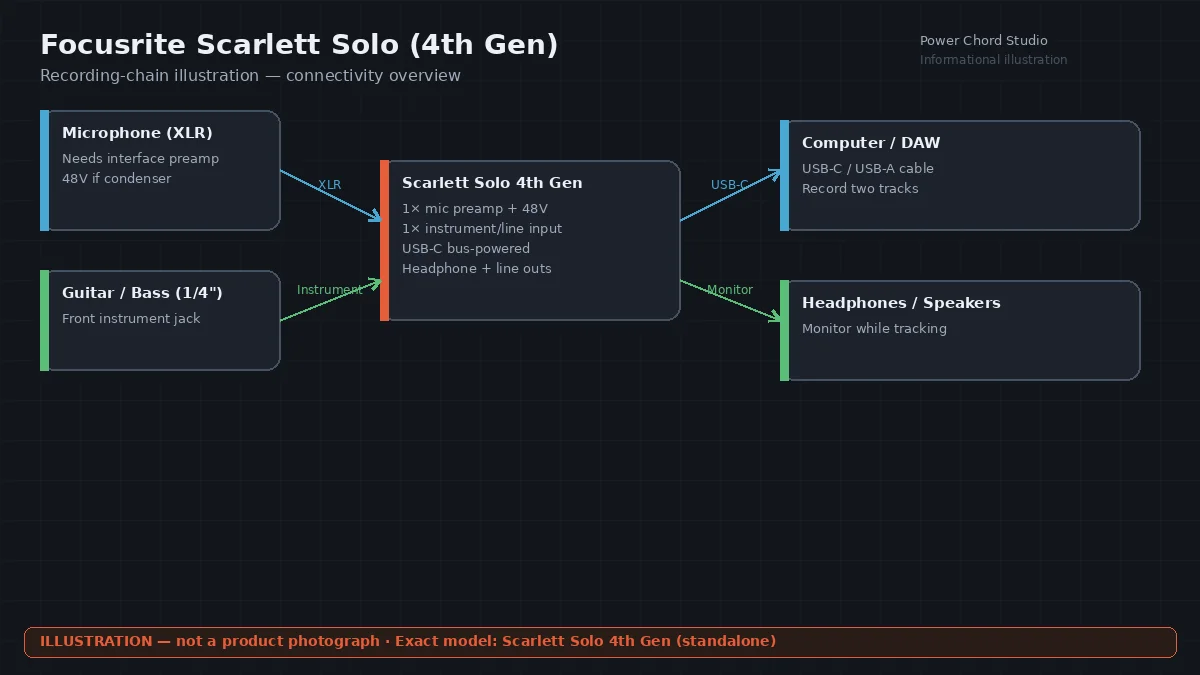
Focusrite describes the current Scarlett Solo as a songwriter’s 2-in, 2-out USB-C interface. Official specifications list one microphone preamp with 48V phantom power, one front-panel line/instrument jack (switched to instrument for guitar or bass), two balanced line outputs, and one headphone output. Independent front-panel controls set speaker and headphone level separately.
Conversion is specified at 24-bit, with sample rates from 44.1 kHz through 192 kHz. The microphone input is specified at 113 dB dynamic range (A-weighted), a 57 dB gain range, and −127 dBu EIN (A-weighted). The instrument input is a 1 MΩ Hi-Z jack. The interface is USB 2.0 Type-C and bus-powered at 900 mA, and Focusrite lists a USB-C-to-USB-A cable in the box. Loopback virtual inputs are included so you can capture stereo audio from other apps inside your DAW.
Focusrite documents two Air modes on the Solo’s microphone preamp—not on the front-panel line/instrument jack. Air Presence uses an analogue circuit that Focusrite describes as a high-end lift. The second setting is Air Presence and Harmonic Drive, which adds harmonics on top of Presence; Focusrite’s user guide states that combined mode is available only at sample rates up to 96 kHz, not at 176.4 or 192 kHz. See Focusrite’s Scarlett Solo product page and the Solo 4th Gen hardware features guide. Dynamic Gain Halos on the front panel show you when a level is healthy or clipping. Focusrite Control 2 is the companion app Focusrite documents for managing 4th Gen Scarlett interfaces on Windows and macOS.
Who it fits
- Singer-songwriters who track one vocal microphone and a guitar (or another instrument) at the same time.
- Creators who need 48V phantom power for a single condenser microphone, such as the Audio-Technica AT2020 (XLR), without extra analog channels.
- Anyone starting a home studio who wants a compact, bus-powered USB-C path rather than a larger multi-input rack.
That one-mic-plus-instrument layout is why the Solo sits next to the 2i2 on the same list: if you only ever record one microphone, extra preamps stay unused. If you later need two microphones at once, the Scarlett 2i2 4th Gen on the same list is the two-preamp option.
Limitations to weigh before you buy
- There is only one XLR microphone input. You cannot record two microphones simultaneously—no singer-plus-room pair, no two-podcaster setup, no dual-mic drum approach.
- The front-panel jack is shared between line and instrument use. It is not a second microphone input.
- Focusrite’s published compatibility list for this model covers Windows (Intel, AMD, and Arm64) and macOS (Apple Silicon and Intel). Check Focusrite’s current compatibility notes for your exact computer, OS version, and any tablet or phone workflow before you purchase; do not assume every host is supported.
- The unit draws 900 mA from USB. Weak ports or unpowered hubs can be unreliable—use a port that meets Focusrite’s power requirement.
- Included software bundles (Focusrite currently lists starter DAW options and Hitmaker Expansion) can change. Confirm what the listing includes on the day you order.
- An interface does not fix a noisy room, a poorly placed microphone, or a clipped performance. Gain Halos help you see overload; they do not recover a take that was already distorted at the source (see what 32-bit float can and can’t rescue).
How it fits a real session
A typical Solo session looks like this: XLR vocal microphone into the rear preamp (48V on if the mic needs it), guitar into the front instrument jack, headphones on the front output, and speakers on the balanced rear outputs. You set each input so the Halo stays out of clip, arm two tracks in your DAW, and record. When the song is together, the same clean files are easier to mix—whether you mix them yourself or send them out.
If you want a second set of eyes on the finished tracks, Power Chord Studio’s mixing and mastering services are built for independent artists. Our guide to preparing a track for mixing and home-studio mixing tips cover file prep and gain staging once the recording is captured.
Shop this item in our Amazon storefront
Choose the standalone Scarlett Solo, 4th Generation—not a prior generation and not a studio bundle unless you specifically want those extras. Shop the Focusrite Scarlett Solo (4th Gen) in our Amazon storefront — Audio Interfaces for Home Recording.
You can also browse the full Power Chord Studio Amazon storefront. Full listing details are on Amazon’s product page. When you are ready to talk about mixing the songs you record, send your project details.